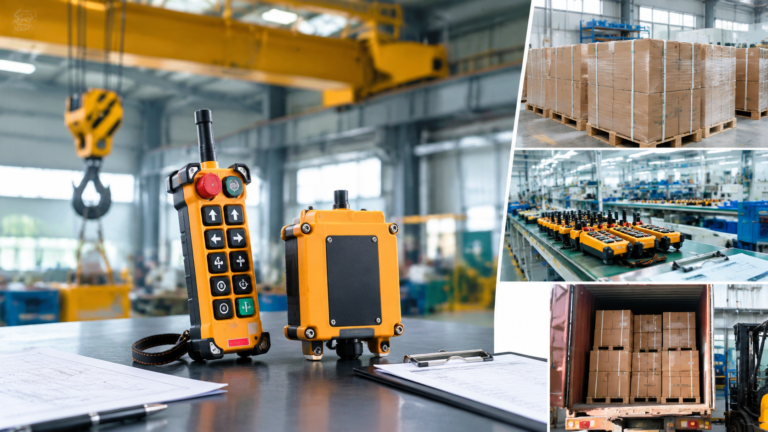
Telecrane-Compatible Replacement Remote Controls: How to Specify
Published: Author: Lisa
A Telecrane replacement remote control is specified by matching the machine, not the label. Six interface facts decide whether an equivalent will work in your panel: button count and layout, receiver supply voltage, single or dual speed logic, frequency band, pairing method, and the receiver’s termination and enclosure. If all six match, an equivalent set pair and runs in an afternoon. If one does not, the set goes back on the shelf.
This guide covers what “compatible” honestly means, which parameters to compare before accepting an equivalent, and how to validate a replacement industrial remote control after fitting. Telecrane is a trademark of its respective owner.
What “compatible” does and does not mean
The word is used loosely in this market, and the difference matters when a crane is standing idle. A compatible replacement is an independently manufactured set that matches the electrical interface and operator layout of the model it replaces. It is not a licensed copy, it does not come from the original factory, and it will never be described that way by a supplier who expects repeat business.
Compatible means
Compatible does not mean
Same button count, layout and legend logic
Same internal circuit board or firmware
Receiver accepts the same control-circuit voltage
Interchangeable transmitter with the original receiver
Same single or dual speed behaviour
Original manufacturer approval or authorisation
Same physical mounting and terminal arrangement
Identical spare parts inside the housing
Documented wiring diagram for the model supplied
Use of the original brand’s artwork, logo or documentation
A supplier who prints another company’s logo on the housing is telling you how the rest of the order will be handled.
The six parameters to compare before you accept an equivalent
Work through these in order. The first three eliminate most wrong matches, and the last three decide whether the installation is a morning’s work or a rewire.
Button count and layout. Count the functions the operator actually uses, including auxiliaries. A crane with hoist, trolley and bridge travel is six direction buttons before start and stop; adding a horn, a work light or a grab changes the count. Twelve-button builds such as the F24-12S / F24-12D remote control cover four-motion cranes, two-hoist arrangements and cranes with several auxiliaries.
Receiver supply voltage. Match the control circuit, not the motor. A crane with 380 V motors may have a 24 V or 48 V control circuit, and the receiver feeds the contactor coils. Wide-range receivers remove the risk: the F24-12S accepts AC/DC 18–65 V on its low range and 65–440 V on its high range from the same unit.
Speed logic. Single speed and dual speed are different receivers, not a setting. If the machine has fast and slow stages on each motion, the replacement must be the dual-speed build, and the number of outputs behind the receiver roughly doubles.
Frequency band. Confirm what the original worked on — commonly VHF around 310–331 MHz or UHF around 425–446 MHz — and what else operates nearby. A band change is possible, but it must be a deliberate decision recorded against the machine.
Pairing method. This is the trap covered in the next section.
Termination, enclosure and safety devices. Check the terminal arrangement and cable entry against the existing panel, the ingress protection against the environment, and confirm the replacement carries an emergency stop, a magnetic key and a separate start button as the original did.
Pairing method: where most “compatible” claims fail
Three pairing schemes exist in this equipment class, and they are not interchangeable across brands.
Pairing scheme
How it works
What it means for a replacement
Learning code
The receiver is put into learn mode and stores the transmitter’s code
Pairs in minutes on site; a replacement transmitter can be learned to an existing receiver of the same family
DIP switch
A physical switch bank sets the same code in both units
Codes must be set identically by hand; older designs, limited code space
Factory pre-paired
Transmitter and receiver are matched and shipped as a set
Reliable out of the box, but a transmitter cannot simply be added later — order a matched spare
Current F24 builds use a learning code held in the receiver with no DIP switches and a 32-bit identification code. If the unit being replaced is a DIP-switch design, the replacement will pair by learning, which is fine but has to be planned: the new receiver must be fitted and the outputs re-terminated rather than the old receiver kept.
The question to ask a supplier is specific: “can your transmitter be learned to my existing receiver, or does the replacement include a receiver?” An answer that dodges the distinction is a warning.
Replacing the transmitter only, or the whole set
When a transmitter is lost, damaged or simply worn out and the receiver is healthy, replacing the transmitter alone is the cheap route — if the family and pairing method match. Typical F24 and F21 practice supports this: the identification code is recorded against the serial number, so a replacement transmitter can be supplied already matched to the existing receiver instead of being paired on site.
Replace the complete set when any of the following is true:
The receiver is a DIP-switch design and no code record exists.
The existing receiver has visible heat damage, corroded terminals or a cracked enclosure.
The control circuit voltage has changed, or the machine has been rewired since the original installation.
The receiver is mounted where water or dust is clearly getting in — the fault will return.
An equivalent set is not commissioned until these checks are recorded. Do them in order, with the machine isolated where the step allows.
Confirm the voltage at the receiver terminals against the range printed on the unit before energising.
Verify every direction against the legend, one motion at a time, with the hook unloaded.
Check the speed stages on dual-speed builds — a swapped fast/slow pair is the most common commissioning error.
Test the emergency stop from the transmitter and confirm the main contactor drops out.
Simulate a lost link by switching the transmitter off mid-motion and confirm the outputs return to the agreed state.
Record the code and the model on the machine file so the next replacement does not start from zero.
Documentation and commercial terms
A replacement set should arrive with a wiring diagram that matches the terminals actually fitted, not a generic drawing. That single document decides whether your electrician finishes in an hour or spends the afternoon ringing out a harness. Current F24 sets ship complete with transmitter, receiver, antenna, connecting cable, batteries, pouch and the wiring diagram for the specific configuration, with CE marking and test reports available on request.
Orders are accepted from one set, so a single crane can be trialled before a fleet is converted. Standard stock configurations typically ship in 5–10 working days, while configured dual-speed receivers take longer because the logic has to be produced. Units carry a twelve-month warranty against manufacturing defects, excluding wear items such as button membranes and key switches.
Conclusion
Specifying a Telecrane-compatible replacement is an exercise in comparison, not in brand loyalty. Put the six parameters side by side — buttons, voltage, speed logic, band, pairing method, termination — and the answer is usually obvious within a page. Where the original’s documentation is missing, photograph the receiver terminals and the machine legend; those two images resolve more compatibility questions than any catalogue.
Send the existing model, a photograph of the receiver terminals and the machine’s function list through the contact page and IEHC will confirm the equivalent build, the pairing method and the wiring diagram before the order is released. Ordering and warranty questions are answered on the frequently asked questions page.
FAQ
Is a compatible replacement legal to use?
Yes. Independently manufactured compatible products are normal in industrial equipment, provided the supplier does not use the original brand’s logo, claim authorisation, or copy the original documentation. The responsible wording is “compatible with” or “replacement for”.
Can a replacement transmitter work with my existing receiver?
Only if both belong to the same family and use the same pairing method. Where the receiver uses a learning code, a matching transmitter can be learned to it in minutes. Where the receiver is factory pre-paired to its original transmitter, a replacement must include a new receiver as well.
Do I need to change the wiring when I fit an equivalent?
Usually the terminals are in the same order and the existing harness can be reused, but verify against the diagram supplied with the new set rather than assuming. Confirm the control-circuit voltage at the terminals before energising the receiver.
How do I know which speed version I need?
Check whether each motion has a fast and a slow stage at the machine. If the contactor arrangement has two coils per direction, or the original transmitter had a two-stage button feel, the machine needs the dual-speed build. Single-speed and dual-speed receivers are different products and cannot be converted in the field.
What should I send to get an accurate equivalent quoted?
The existing model number, a photograph of the receiver terminals, the machine’s function list, the measured control-circuit voltage, the required quantity and the environment the receiver works in. If the original model is obsolete, those four items still allow an equivalent to be specified without guesswork.
One set for a standard configuration, five for volume pricing, ten for OEM branding: how MOQ, lead time and customization scope actually work on crane remote controls.
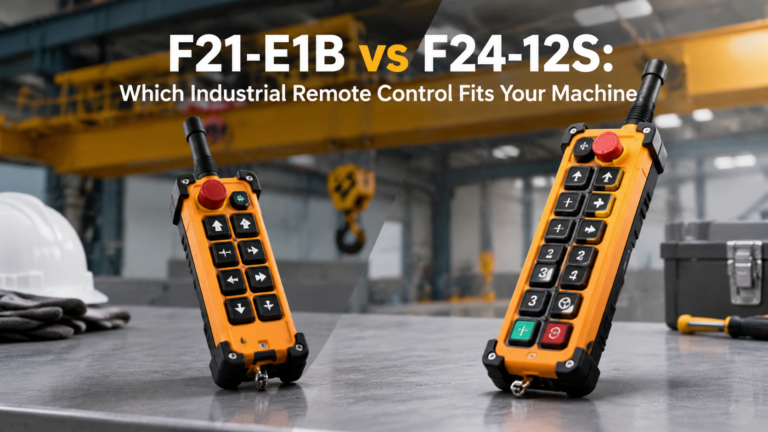
Eight buttons or twelve, single speed or dual, fixed 380 V or wide-range receiver: a side-by-side comparison of the F21-E1B and F24-12S and which crane each one fits.
Why a 100 m rating is only an open-air ceiling: obstruction, antenna placement, frequency band and interference decide the usable operating distance on a real crane.