Pendant Control Station Wiring: Cores, Common, Earth
Cores follow functions, not buttons. The sum that sizes the cable, why the stop must not share the button common, and five pre-power checks.
Read More

Most range complaints on an industrial crane are not solved by a crane remote control repeater. They are solved by moving an antenna fifty centimetres, replacing a lossy feeder cable, or accepting that the far bay of the building is a separate working area that needs its own receiver. A repeater is the right answer only after you have proved that the transmitter and receiver are both healthy and that the failure is genuinely path loss rather than obstruction, interference or a flat battery.
This article is about crane remote control range extension for long runways, deep bays, basement levels and buildings with steel structures between the operator and the receiver. It separates dead spots from short range, ranks the fixes by cost and by risk, and sets out what a second radio hop does to latency and to the emergency stop path.
Walk the crane with the transmitter and record where control is lost. If control degrades gradually with distance and the loss is proportional to how far you are from the receiver, you have a range problem. If control is perfect at ten metres, dead behind a column, and perfect again on the other side, you have an obstruction problem, and adding power to the link will not fix it.
| What you observe | Most likely cause | First fix to try |
|---|---|---|
| Loss grows steadily with distance | Link budget or antenna gain | Antenna position and gain, then feeder loss |
| Sharp dead zone behind steel or concrete | Obstruction and reflection | Relocate receiver antenna above the obstruction |
| Loss only at one end of the runway | Geometry, antenna pattern | Reposition antenna toward that end |
| Random dropouts in one area only | Interference from another radio source | Channel or band change before any hardware |
| Loss after a few hours of use | Transmitter battery or heat | Battery and enclosure temperature check |
Write the walk down on a plan drawing with the loss points marked. That single drawing is also the document a supplier needs to advise you properly, and it is the thing most range complaints arrive without.
An antenna mounted above the girder line and clear of steelwork is worth more than any electronics added downstream. Radio energy at 433 MHz and at 2.4 GHz behaves differently around steel, and the practical rules are the same either way: get the antenna out of the metal box, get it high, keep the feeder short, and keep it away from drives and motor cables.

Check the feeder before you consider hardware. A long, thin coaxial cable between receiver and antenna can lose more signal than the receiver’s sensitivity can absorb, and replacing that cable with a short run to a properly mounted antenna often recovers the whole shortfall. The physics background is covered in the operating distance guide, and the band comparison in 433 MHz versus 2.4 GHz explains why a move to a lower band sometimes beats any amount of extra hardware.
Once the antenna work is done and the dead zone remains, there are three realistic options. They are not interchangeable, and the cheapest to buy is often the most expensive to own.
1. A second receiver with a changeover. Fit a receiver in the far bay and switch authority between the two, either by a key selector or by an automatic handover on signal loss. There is no added radio hop and no added delay, because each receiver talks to the transmitter directly. The cost is a second receiver, extra wiring and a clear rule about which receiver is live.
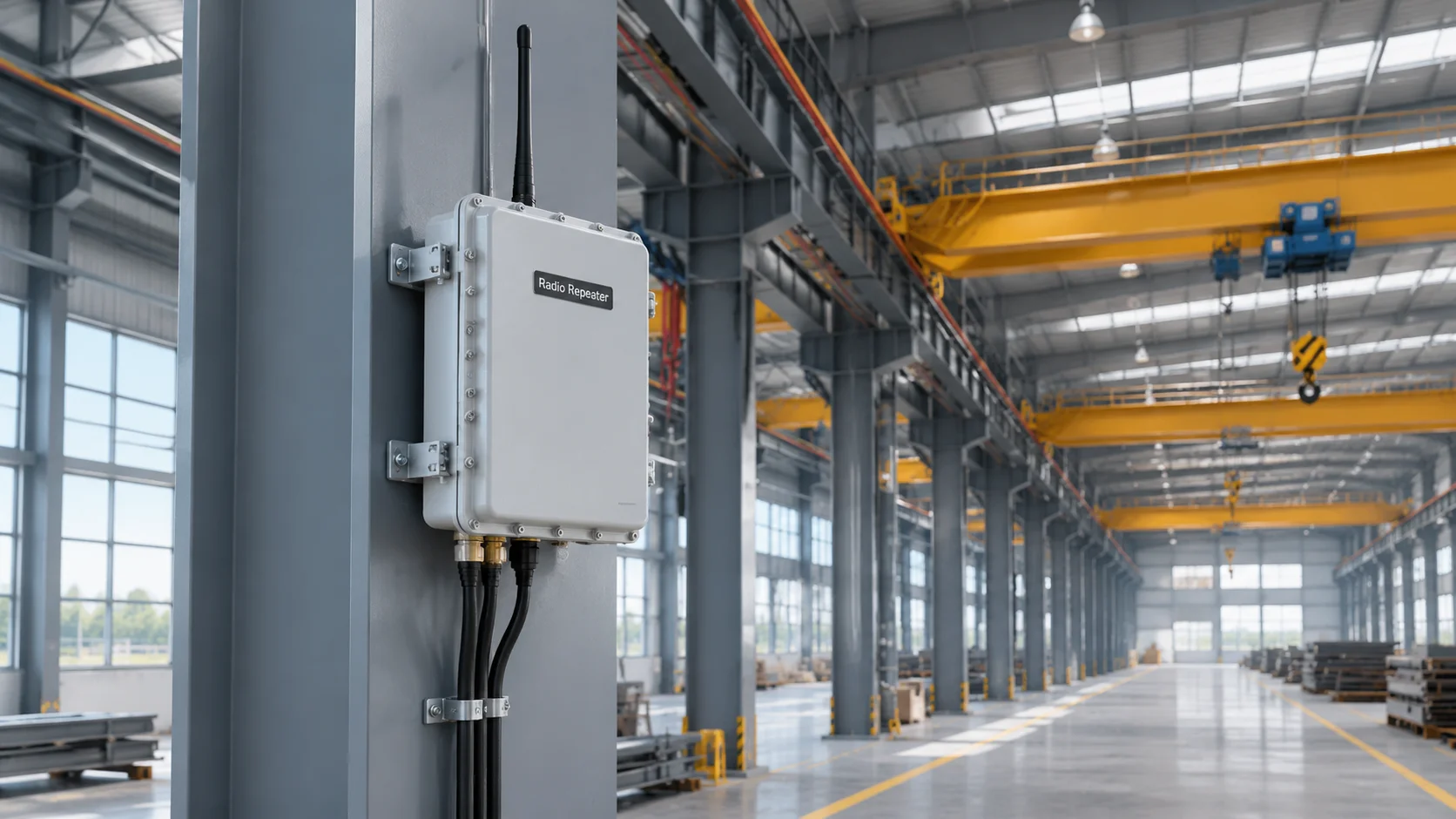
2. An RF repeater. A fixed unit receives the transmitter’s signal and re-transmits it on the same or another channel. It covers the largest area with the least cabling, and it is the option most often proposed for very long runways and multi-level buildings. It also introduces a delay on every command, needs its own power and enclosure, and creates a second radio path that must be engineered rather than guessed.
3. A wired alternative for part of the route. Where one bay is used rarely, a pendant at that bay or a driver’s cab control is often cheaper and safer than extending radio coverage into it. Coverage is not automatically the correct goal; the correct goal is that every working position has a control method that works every time.
A repeater stores and forwards. Every command, including stop, crosses two radio links instead of one, and the total delay adds up from both. For travel and hoist motions a short delay is tolerable, because the operator sees the motion and releases the button. For the emergency stop it is not a detail, because the stop response is part of the machine’s stopping performance.
Ask three questions before accepting any repeater proposal. Does the stop command travel over the repeated link, or does it have a separate path? What is the measured end-to-end delay, in milliseconds, under the worst conditions rather than on a bench? And what does the crane do if the repeater loses power or loses one of its two links while a motion is running? A design that answers “the crane keeps moving until the receiver times out” is not automatically wrong, but it needs to be a known and accepted behaviour rather than a surprise during commissioning.
There is also a duplication problem. Two radio paths into the same area can deliver two copies of a command, or allow a transmitter to be heard by both receivers at once. Units with unique addressing handle this, older units with fixed codes may not, so confirm the addressing scheme with the supplier before adding a hop that the receiver was never designed to see.
A tunnel is the case where repeating stops working altogether, since there is no line of sight left to repeat, which is why underground gantry control starts from radiating cable and distributed antennas.
Skip it when the dead zone is a single small area that the crane only visits occasionally, because the second receiver plus a procedure costs less and adds no latency. Skip it when the site already has heavy 2.4 GHz traffic from Wi-Fi and cameras, because another always-on radio transmitter rarely improves a crowded channel. Skip it when the range loss is caused by a failing transmitter, a tired battery, a damaged antenna or water in a connector — every one of those looks like a range problem and none of them is fixed by more hardware. The fault-finding checklist covers those cases in the order they should be checked.
A complete crane remote control system quote for a multi-bay building should state the receiver count, the addressing scheme and the stop path explicitly, because those three items decide whether the coverage you buy is coverage you can rely on.
Not automatically. The receiver has to tolerate hearing a repeated signal, and the addressing scheme has to keep two paths from delivering duplicate commands. Systems with fixed codes are the least suitable, and some suppliers will not support a repeater on them at all.
Enough that it must be measured rather than assumed. Each radio hop contributes its own delay, so a two-hop design roughly doubles the figure you would see on a direct link. Ask for a measured end-to-end number under worst-case conditions and compare it with the crane’s stopping time.
Only in the direction it is aimed. Gain comes from narrowing the pattern, so a directional antenna can leave the near end of the runway worse than before. Position usually matters more than gain, and a well-placed standard antenna often beats a poorly aimed high-gain one.
Rarely, and it can make things worse by adding another transmitter to a crowded band. Interference is normally solved by changing channel, moving to a different band, or reducing the number of always-on radio sources in the area.
Ask for a trial on site with the actual receiver and the actual transmitter, and test the stop response as carefully as the travel response. Range figures quoted for a repeater are usually measured in open air, which is not the environment you are trying to cover. Describe your building through the contact page and ask for a coverage recommendation in writing.